

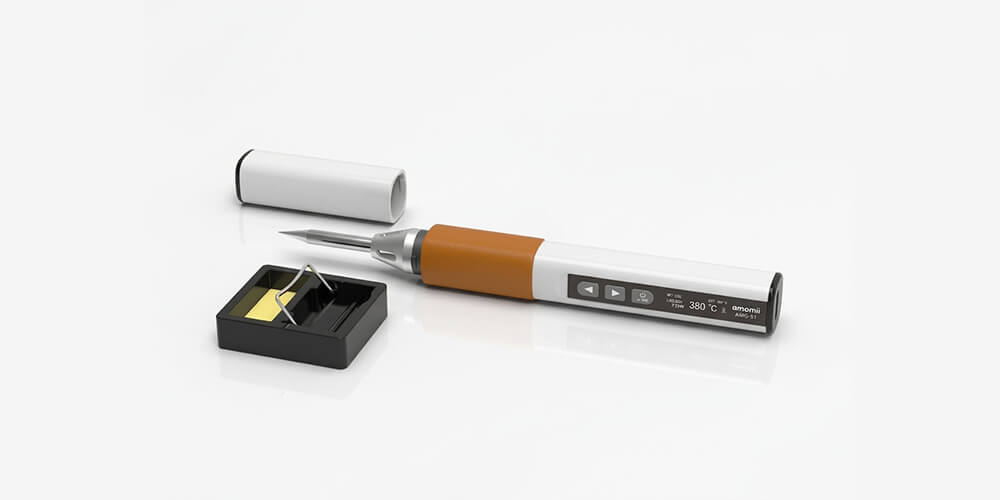
Quill is a smart soldering iron, and most of the time it just works. When it doesn't, the cause is nearly always one of two things: the power it's getting, or the condition of the tip. Both are quick to fix.
Find the problem that matches what you're seeing and work through the checks in order.
Safety first
- Quill's tip can reach 842 °F (450 °C). Never touch the tip or the metal barrel, even if you think it's cool.
- Always rest Quill in its stand when it's not in your hand.
- Unplug Quill and let it cool completely before you inspect or change the tip.
Quill won't turn on
- Check the power. Quill has no battery, so it only runs when it's plugged in. Make sure the cable is pushed fully into both Quill and the power adapter, and that the adapter is plugged into a working outlet.
- Hold the button. Quill turns on with a press and hold of the ⏻ OK button. A quick tap won't do it.
- Use the included adapter and cable. If you're using a different power source, switch to the 65 W adapter and cable from your kit to rule it out.
- Did it switch itself off? That's probably the auto power-off safety feature. See below.
Quill won't get hot enough, or the temperature is capped
This is the most common question we get, and it's almost always the power source. Quill is powered entirely through USB-C, and the higher the voltage it receives, the hotter it can get and the faster it heats up.
| Power source | Voltage | Highest temperature you can set |
|---|---|---|
| Computer or laptop USB port | 5 V | 428 °F (220 °C) |
| Included 65 W USB-C adapter | 20 V | 842 °F (450 °C) |
Why this matters: lead-free solder melts at around 430 °F (220 °C). A laptop port barely reaches that, so solder may melt slowly or not at all. For real soldering, you want the included adapter.
- Read the screen. Quill shows its live input voltage on the left of the soldering screen. With the included adapter it should read about 20 V.
- Lower than 20 V? The adapter or cable isn't delivering full power. Use the adapter and cable that came in your kit, and plug the adapter straight into a wall outlet rather than through a USB hub or docking station.
- Using a power bank? It works if the power bank supports USB-C Power Delivery (PD) at 20 V. Many only supply lower voltages, which means a lower maximum temperature and slower heating.
Quill heats up slowly
- Check the power source first. Everything in the section above applies here too. On the included 65 W adapter, Quill reaches soldering temperature in seconds.
- Keep the tip clean and tinned. A dirty or dry tip passes heat to the joint poorly, which can feel like a weak iron. See tip care below.
- Big joints take longer. Large metal areas, like the wide mounting tabs on Script's dial, soak up heat. Hold the tip on a little longer, or raise the temperature slightly for that joint.
Quill switches itself off
That's the auto power-off safety feature doing its job. If Quill isn't used for the time you've set, it turns itself fully off so it can never be left on by accident. Just turn it back on and it's up to temperature again in moments.
To change the timer, open Settings (the gear icon on the main menu) and choose Power. You can pick a longer time or turn it off, but we recommend keeping it on.
Solder won't stick to the tip, or the tip has turned dark
The tip has oxidized. This is the most common tip problem, and usually the easiest to fix.
- Re-tin it. With Quill at temperature, melt fresh solder onto the tip and wipe it on the damp sponge. Repeat a few times until the tip turns bright and shiny.
- Keep the sponge damp, not dripping. A soaking wet sponge cools the tip too much. A dry one can scratch it.
- Tin before and after every session. Leave a small blob of solder on the tip before you turn Quill off. It protects the tip while it's stored.
- Don't run hotter than you need. Holding the tip above 716 °F (380 °C) for long periods wears it out faster.
If a tip still won't take solder after several rounds of tinning, it may need replacing. Get in touch and we'll point you in the right direction. For a full walkthrough, see Lesson 6: Tinning and tip care.
Solder melts but won't flow into the joint
This one is usually technique, not the iron. Heat the pad and the component lead together for a second or two, then feed the solder into the joint, not onto the tip. The solder should flow around the lead by itself.
For most of the joints on Script, a setting of around 600 to 660 °F (315 to 350 °C) works well. For step-by-step help, see Lesson 8: Your first joint, step by step.
The screen shows °C and I want °F
Open Settings (the gear icon on the main menu), choose TEMP, and switch between °C and °F.
The temperature seems wrong
If solder melts poorly at a setting that should be plenty, check the tip first. A dirty or oxidized tip is by far the most common cause.
Quill also has a CAL option in Settings to calibrate the tip temperature. Only use it if you have a tip thermometer to measure against. If you think your Quill is reading incorrectly, get in touch with us first.
The handle feels warm
Some warmth in the handle during use is normal. If it ever gets too hot to hold comfortably, stop, unplug Quill, let it cool, and contact us.
Still stuck?
We're here to help, and Quill is covered by a one-year warranty. Email support@amomii.com and include:
- What's happening, in a sentence or two.
- Your power source: the included adapter, a computer, a power bank, or something else.
- A photo of Quill's screen while it's switched on, so we can see the voltage and temperature.
- What you've already tried.
We'll get you back to soldering.

