

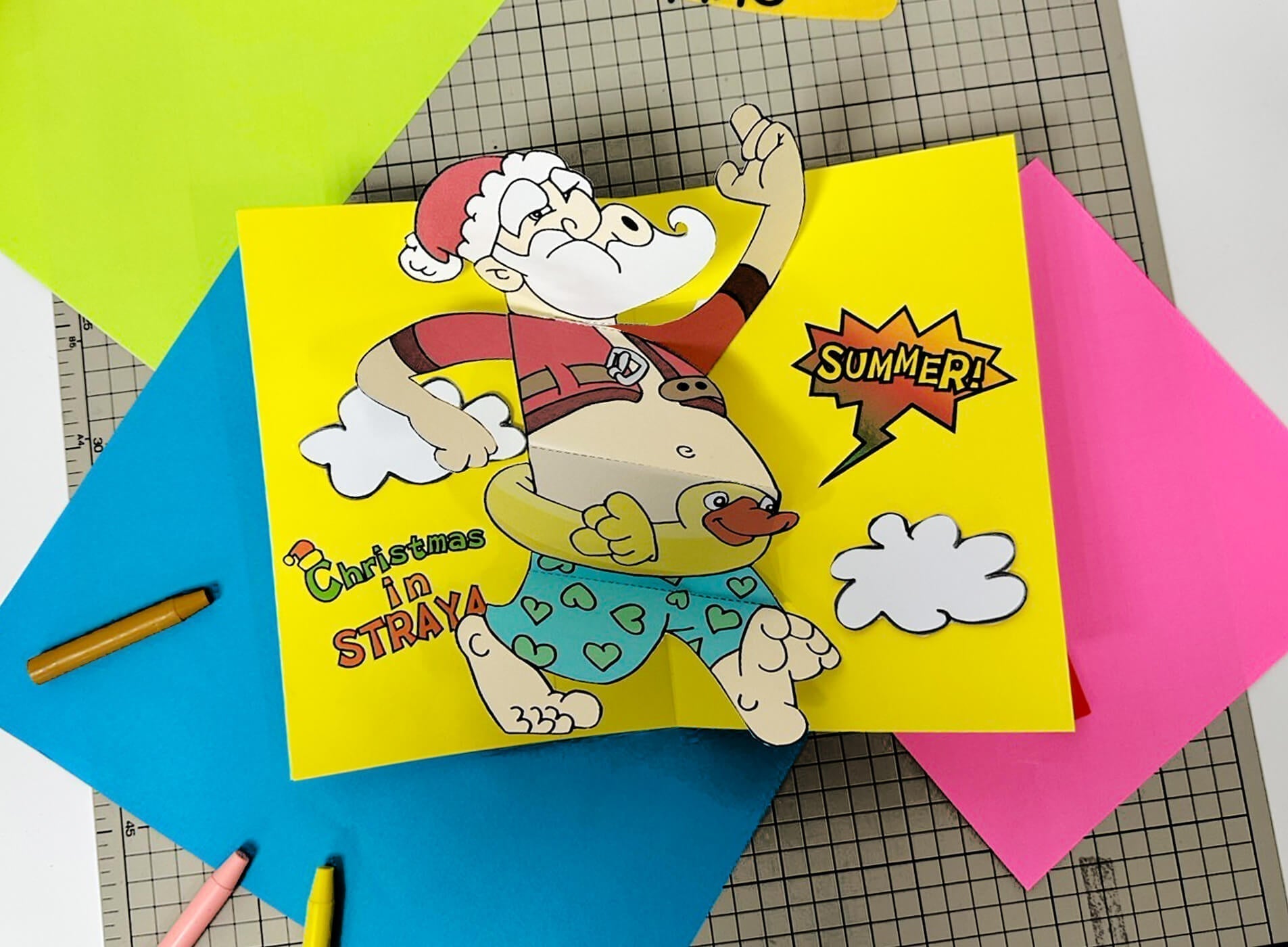
Did You Know?
Did you know that Yulefest, also known as Christmas in July, has its origins in Australia? Due to the hot summer weather in December, people enjoy celebrating more common Christmas traditions in the winter months when it’s a little cooler, such as sitting around a fireplace with mulled wine, and enjoying hearty dinners, featuring roast meats, gravies and vegetables.

When to Celebrate
The holiday officially takes place on July 25th, but there are celebrations held every Saturday during the month of July. The festival is believed to have started small in the late 1800s and early 1900s, but started to gain momentum and popularity in the late 1970s.
The Toolkit
To build your Santa Popup Card, gather these supplies:
-
The amomii Template: [GET THE FREE TEMPLATE HERE]
-
Cardstock or A4 Paper: (Use cardstock for a sturdier card.)
-
Double-Sided Tape
-
Scissors & Craft Knife: (Safety First: Always ask an adult for assistance when using sharp cutting tools.)
The Build: Step-by-Step
1. Print and Prepare: Print the templates on A4 paper and gather all necessary materials. For best results, use cardstock for improved durability.

2. Precise Cutting: Carefully cut out all icons and parts along the solid black lines.
-Safety Tip: Ask an adult for help when using cutting tools.

3. Fold the A4 Sheet: Fold the A4 sheet in half along the center line.

4. Assemble the Base: Fold Base A and Base B along the dotted lines, then glue them onto the A4 sheet.


5. Assemble the Body : Fold the Santa Body along the dotted line, then attach it to Base A and Base B as shown below.


5. Assemble the Head: Fold the Santa Head along the dotted line, then glue it to the matching area on Base A.


6. Attach the Second Hand: Attach the second hand to complete the Santa figure.

7. Decorate the card: Attach the icons to the card, then fold the A4 sheet in half to create the pop-up effect.

Your creation is complete! Share your Santa Popup Card with us!

Success Checklist
-
Movement Check: Open and close the card slowly to ensure all pop-up parts move freely without sticking.
-
Santa Alignment Check: If Santa doesn’t pop out smoothly, check the attachment areas and press along the fold lines to sharpen the creases.
Get Your Templates
Sign up for free weekly templates delivered to your inbox. Unsubscribe at any time.
Show us your Santa Popup Card!
Drop a comment below or share a video of your "Santa Popup Card" to Instagram or TikTok and tag us with #amomiiSSC. We’d love to see your creativity in action!
PROJECT CREDITS
-
amomii Lead: Shaun
-
Illustration: Steve
-
Graphics & Templates: Kelly
-
Video & Blog Content: Cindy & Vera


