

Section 1: Overview & How It Works
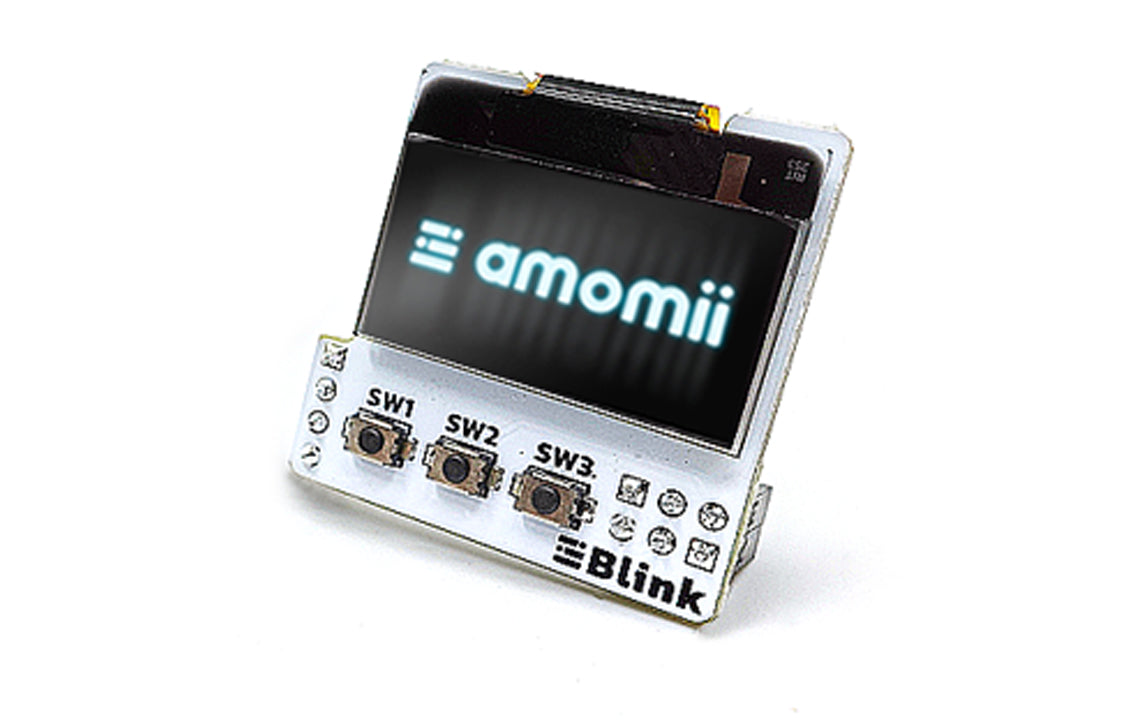
Adding a visual display and physical controls to your electronics projects completely changes how you interact with your creations. The amomii Blink is a mini shield — an expansion board that plugs directly into a microcontroller, offering a compact, all-in-one solution for user interaction. This particular add-on combines a crisp monochrome OLED display with three tactile push buttons, packing visual feedback and input control onto a tiny footprint.

The primary job of this module is to bridge the gap between your code and the physical world. The OLED screen operates using a common driver chip and communicates via the I2C protocol, an industry-standard method that allows multiple devices to share the same data lines. Meanwhile, the three built-in buttons are wired directly to digital input pins. By utilizing internal pull-up resistors in your software, these switches reliably detect when a button is pressed by completing a circuit to ground.
Section 2: Real-World Use in Arduino Projects
For any maker diving into electronics, this type of layout is incredibly versatile. It seamlessly integrates into the Arduino ecosystem, aligning perfectly with standard board headers or connecting via standard jumper wires to other development platforms. Because it handles both input and output without cluttering your workspace, it serves as an ideal interface for a variety of DIY applications.
You can easily integrate the amomii Blink into several beginner-friendly projects within the Arduino IDE:
- Custom Digital Stopwatch or Timer: Use the OLED screen to display elapsed time, while dedicating the three push buttons to start, stop, and reset the clock.
- Miniature Gaming Interface: Program simple retro games where the screen displays the action and the tactile buttons act as left, right, and action controls.
- Environmental Monitoring Station: Pair the shield with an external temperature or humidity sensor, using the display to read real-time data and the buttons to toggle between different measurement units or menus.
This hardware combination provides an excellent opportunity for tinkering and developing practical coding skills.
See It in the Testudo Kit
Every component in this guide is part of the Testudo soldering practice kit — a hands-on way to learn electronics, soldering, and Arduino coding from the ground up.


