

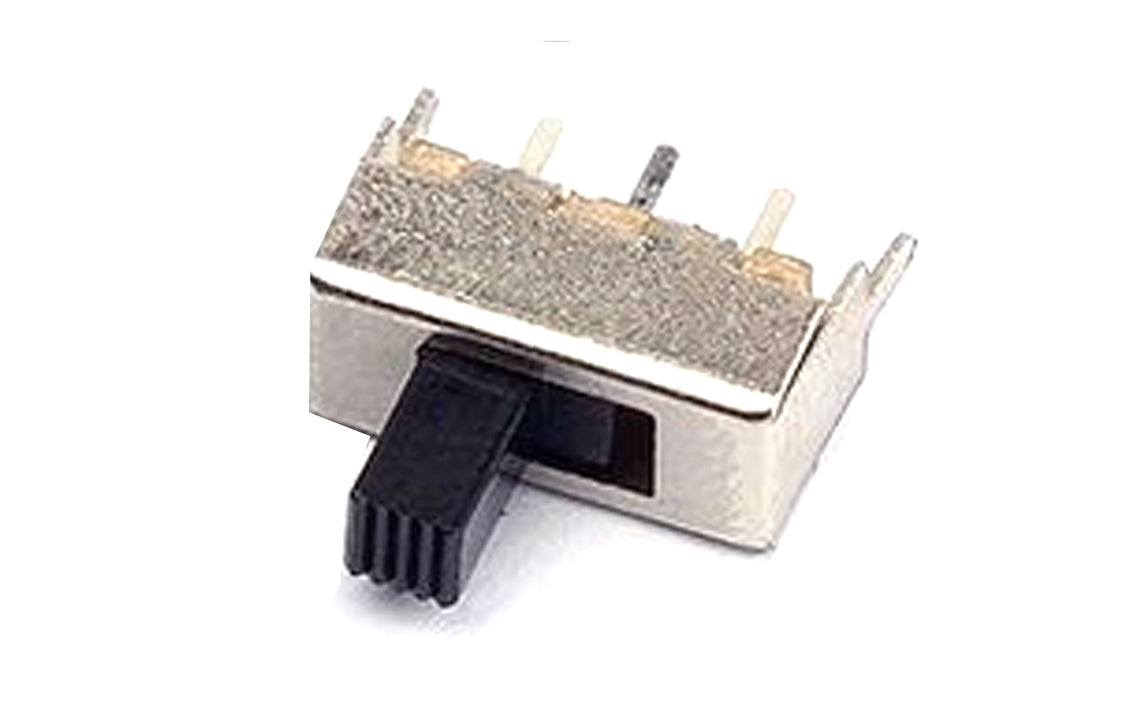
Section 1: Overview & How It Works
Have you ever wondered how a simple flick of a wrist can completely change how an electronic device behaves? Enter the toggle switch, a fundamental component in the world of electronics that gives you physical control over your circuits. At its core, a toggle switch acts as a mechanical gatekeeper for electricity, allowing you to manually open or close an electrical path.

When you flip the lever on a switch, internal metal components called contact clips shift position to connect or disconnect the terminals. In a standard "shorting" configuration, the switch ensures a continuous path as it moves from one contact to the next, preventing open-circuit gaps. This tactile feedback makes them incredibly reliable for human-machine interfaces.
For anyone diving into a soldering practice kit, learning to mount these components is a milestone. The physical pins, or terminals, are spaced out specifically to fit into standard circuit board layouts. Properly soldering these pins ensures a permanent, mechanically stable connection that can withstand thousands of clicks and flips over its lifespan.
Section 2: Real-World Use in Arduino Projects
In the maker community, the toggle switch is a favorite tool for adding manual overrides and mode selectors to custom builds. When paired with an Arduino microcontroller, a toggle switch changes from a simple power cut-off into a versatile input device for your digital logic.
Instead of just cutting the power to the entire board, you can wire the switch to a digital input pin. Your code can then read whether the switch is flipped "HIGH" or "LOW" to trigger completely different behaviors in your software. It is a fantastic, beginner-friendly way to bridge physical hardware with digital creativity.
Here are a few practical ways you can use a toggle switch in your next DIY project:
- Mode Selectors: Switch your STEM robotics project between an "autonomous obstacle avoidance" mode and a "manual remote control" mode with a single flip.
- Safety Interlocks: Create a physical safety switch for a laser engraver or 3D printer that instantly pauses operations if a hazard occurs.
- Audio Effects Toggles: Build a custom MIDI controller or synthesizer where the switch toggles specific sound filters or active tracks on and off.
Integrating these switches into your hobby projects provides an excellent opportunity for soldering practice while elevating the overall interactivity of your builds.
See It in the Testudo Kit
Every component in this guide is part of the Testudo soldering practice kit — a hands-on way to learn electronics, soldering, and Arduino coding from the ground up.


